
Grammarly: AI Writing App
Developed by Superhuman Platform Inc · Version 9.101.0 (12.3 MB)
Screenshots & Interface

About
Why Install Grammarly: AI Writing App on Safari?
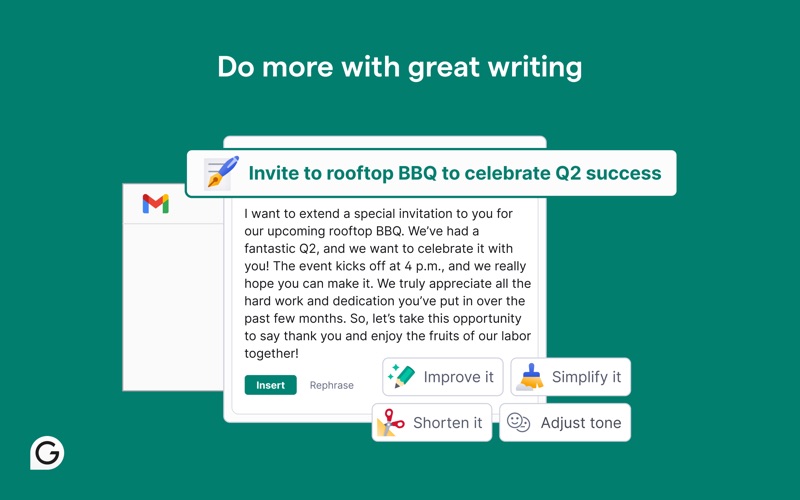
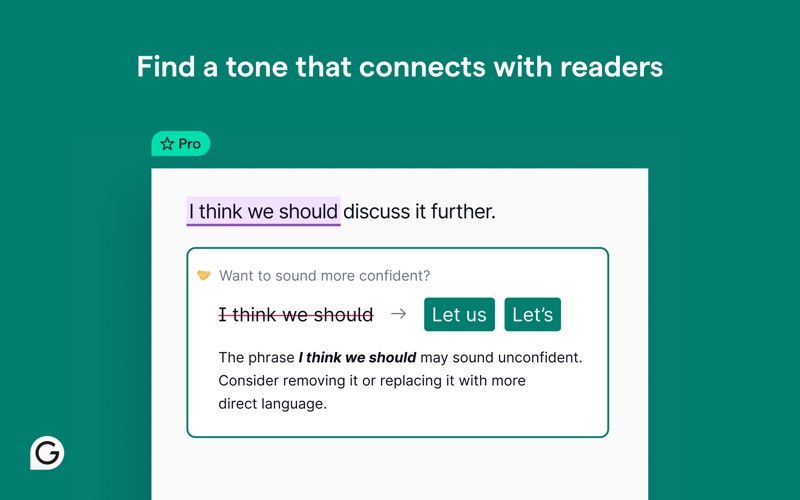
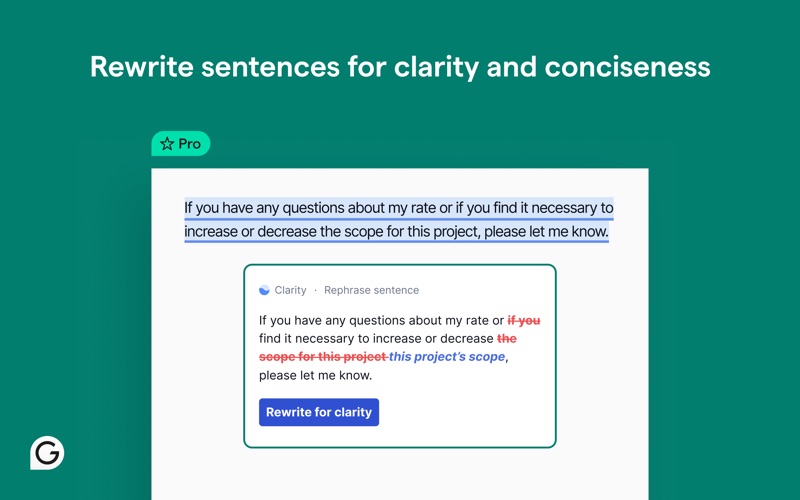
Real-time AI grammar, spelling, and tone correction in Safari text fields.
Bilingual side-by-side or paragraph-level translation without breaking original layout
Pure DOM readability parsing, stripping banners, popups, and paywall sidebars
Direct export to Markdown, Notion, Obsidian, and Readwise Reader with 1-click
Does This Extension Fit Your Workflow?
✓ Best Suited For
Researchers, students, and readers who consume foreign technical docs, papers, and essays on a daily basis.
⚠️ Who Might Skip
Users looking exclusively for offline local machine translation on unsupported legacy macOS versions.
What's New in Version v9.101.0
What Real Users Say About Grammarly: AI Writing App
Authentic feedback and real-world ratings from Mac & iOS users
No One is Home
"I have used Grammarly for years. As a university professor it was invaluable in reviewing students’ work and especially my own. It worked just about everywhere. Now Superhuman (a misnomer if there ever was one) is pushing an expensive, bloated Grammarly Pro, so you either have to stick with the “free” version, which here Superhuman calls Premium (I think. Not even sure.) Trying to contact support greets you with a wall of AI bots with stupid names that don’t let you get through to a human. I don’t think any humans are home at SuperBot. The responses here even read like they are AI generated. The user experience is pathetic which is unfortunate because the basic tool is great.Somebody please make a similar tool that is as good and actually is super human."
Powerful tool, mismanaged rollout and slow support
"TLDR: Great AI, but the way my chat history and support were handled means I can’t fully trust it. Original experience: I initially gave this app 1 star because an update and UI change on May 29, 2026 caused my entire AI chat history to disappear: a work thread with in‑progress terms and policies for my small business, a personal thread, and a medical/health thread. These were long‑running conversations I actively depended on. Overnight, everything I’d built in AI chat seemed to vanish. When I contacted support, I was first told the chats were permanently lost and could not be restored. As I kept following up, the explanations kept shifting: the issue was blamed on an “experimental interface,” the history was described as “invalid” for the new experience, and I was told that nothing could be done. At that point, I felt like I was being jerked around rather than supported. Over the next several weeks, I received a series of inconsistent and sometimes contradictory explanations: * At first, the chats were described as gone for good. * Later, when the old UI briefly reappeared and my history came back, I was told this was because an experimental interface had been rolled back. * At one point, support said my previous AI chat history was “stored securely and encrypted on my device, as long as the app hasn’t been uninstalled,” while Grammarly’s own public article says Grammarly data is stored on servers hosted by AWS in the US. Those two statements are hard to reconcile, and despite pressing on this point, I never received a clear, verifiable explanation of where my chat data actually lives or how it is handled. * Support also said they could temporarily move my account back to the previous AI chat experience so I could access my old chats and copy out what I needed. That rollback was discussed more than once but took a long time to actually happen, and only after persistent follow‑up. The core problems for me were not just the UI update, but: * No advance warning that an experimental UI change could hide or break chat history. * No straightforward migration of old chats into the new interface. * Shifting explanations about data storage and whether history was “lost” vs “inaccessible,” which made it hard to trust what I was being told. Update (what eventually happened): After almost a month of back-and-forth, my old AI chats were finally made accessible again. When the previous interface was temporarily restored for my account, I immediately backed up all the important content into tools I control (work policies and terms, client email drafts, and key medical/advocacy messages). Those backups are now re-seeded into new threads in the current AI chat experience, and the new interface appears to be working as expected. For that piece, I am genuinely grateful: support did ultimately help me get my history accessible again, and the underlying AI is one of the better systems I’ve used for tone and structure. Where I stand now: This experience changed how I use Grammarly (and AI chat in general). I no longer treat chat history as a safe place to store anything important. If I use Grammarly’s AI chat now, I copy out anything I care about into my own documents immediately, and I assume that any future interface change or experiment could make history disappear or become inaccessible again. My advice if you’re thinking of using Grammarly’s AI chat for serious work: * Do not rely on chat history as the only place your important content lives. * Keep your own backups in apps you control. * Be aware that experimental UI changes may roll out without much notice and can affect access to your conversations. The tool itself is powerful and can be incredibly helpful. But a tool is only as reliable as how it is managed and supported. This incident showed me that Grammarly still has work to do on transparency, communication, and data handling around its AI chat feature, even though they eventually helped me recover my history. Given all of this, I’ve updated my rating from 1 star to 2 stars: one star for the product’s potential and eventual resolution, and one star off for the way my data, history continuity, and support were handled along the way."
There’s better options
"Not really that user friend, in my opinion. There’s better options. As far as the pro version? Totally not necessary to pay for yet another AI platform. After a while, these add up and it gets a little silly. Especially when there’s other, more all around AI platforms, that do the same job, possibly even better."
Great tool when it integrated with MS Office
"I used this all the time when it integrated with MS Office, but Microsoft now blocks the integration or Grammarly won’t pay for the integration. I loved it, but cancelled the subscription. Its grammar checker is far superior to Microsoft’s and I don’t bother with it."
Got Questions About Grammarly: AI Writing App?
Q.Is Grammarly: AI Writing App free, or does it require a subscription?
Grammarly: AI Writing App is 100% free to download on the Apple App Store without predatory weekly subscription traps. You can install and use it across your Mac and iPhone Safari browsers.
Q.How do I enable Grammarly: AI Writing App in macOS and iOS Safari?
On Mac (macOS): After downloading from the Mac App Store, open the application once, then launch Safari -> click "Settings" (or Preferences) in the menu bar -> select the "Extensions" tab -> locate "Grammarly: AI Writing App" and check the box to enable it. On iPhone/iPad (iOS): Go to iOS "Settings" -> tap "Safari" -> tap "Extensions" -> select "Grammarly: AI Writing App" and toggle it ON.
Q.Does translating long technical papers break code blocks or mathematical formulas?
No. Modern translation extensions for Safari intelligently parse HTML AST tags, strictly skipping <code>, <pre>, and LaTeX MathJax elements to maintain developer precision.
Q.Can I bind custom shortcut keys to trigger instant paragraph translation?
Yes, in the extension popup menu, you can configure hover keys (such as pressing Option / Alt) to display immediate bilingual tooltips without clicking.
Maximize Your Productivity on macOS & iOS
Combine this extension with Safari native Reader View (Shift + Command + R) for a distraction-free reading experience.
Grammarly: AI Writing App Quality & Health Audit
Evaluated across verified App Store reputation, pricing ethics, update cadence, and native footprint.
★ 5.0 / 5.0 with Curated verified reviews
100% Free Download
v9.101.0 - Actively Maintained
12.3 MB package size, Official developer site
Technical Specifications & App Store Metadata
Help fellow Mac & iOS users discover clean tools
Copy the pitch or share directly with one click to social media.
Looking for a Safari alternative to Grammarly?
Grammarly: AI Writing App is the premier 1-to-1 Safari replacement for Chrome's Grammarly, saving battery and system RAM.
Similar Safari Extensions You Might Like
Explore more verified tools in the ai-reading category

Bilingual webpage translation with AI support for effortless reading.
Save a complete, readable webpage (with CSS and images) into a single HTML file.

Sets Kagi as your default search engine and provides one-click AI page summaries.