
Grammarly: AI Writing App
开发商: Superhuman Platform Inc · Version 9.101.0 (12.3 MB)
应用截图与界面预览

扩展介绍与功能详解
为什么 Grammarly: AI Writing App 值得在 Safari 上使用?
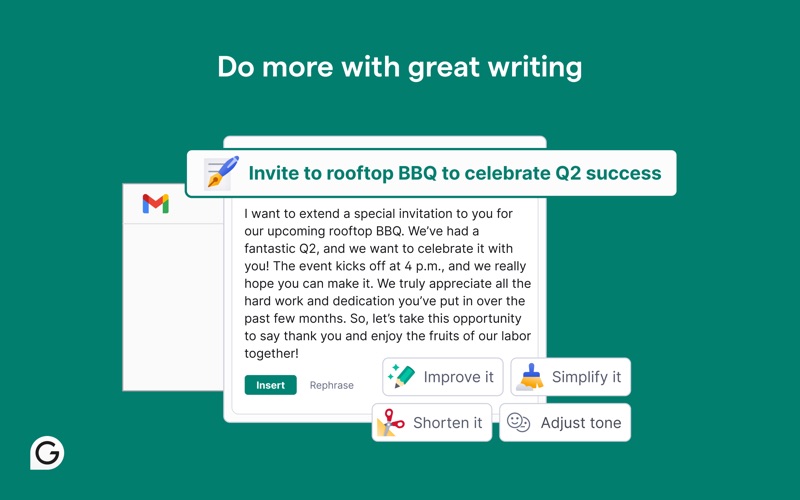
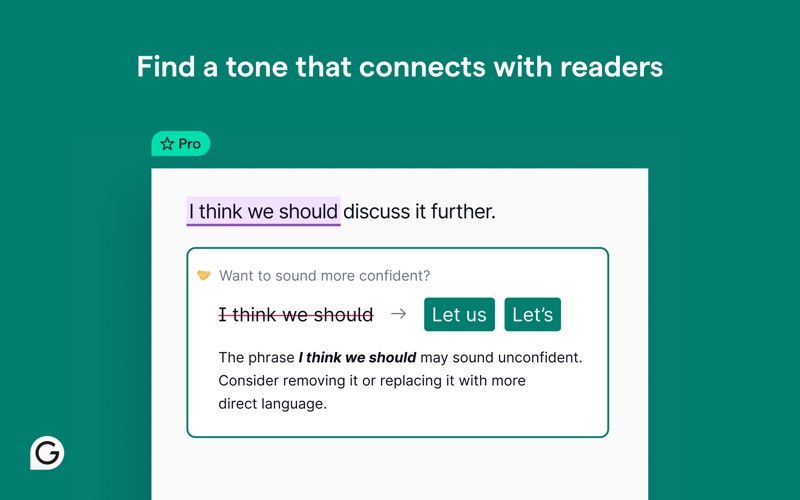
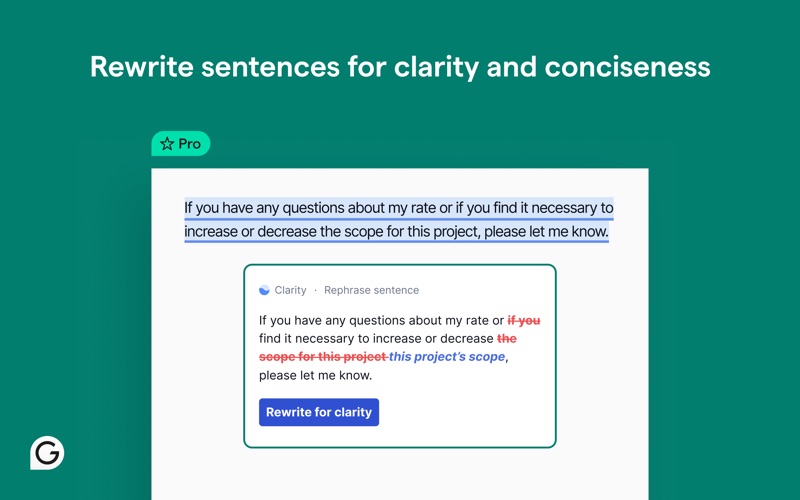
官方语法校对与 AI 英文润色插件,输入框实时纠错与语气优化。
智能段落级双语对照翻译,保留原文排版与代码高亮,告别整页机翻错乱
基于原生 DOM 树提取纯净正文,强力去除浮动广告、弹窗阻断与无关侧边栏
支持一键导出为标准 Markdown,并无缝同步至 Notion、Obsidian、Logseq 或 Readwise
此扩展适合您的日常工作流吗?
✓ 最适合人群
每天需要阅读大量英文技术文档、学术论文(arXiv/PubMed)或海外资讯的研究者与深度阅读者。
⚠️ 可能不适合
仅阅读纯中文本地文件、无需任何网页外文翻译或排版净化的读者。
最新版本更新日志 v9.101.0
真实果粉对 Grammarly: AI Writing App 的评价
来自 Apple App Store 真实用户的体验评测与星级打分
No One is Home
"I have used Grammarly for years. As a university professor it was invaluable in reviewing students’ work and especially my own. It worked just about everywhere. Now Superhuman (a misnomer if there ever was one) is pushing an expensive, bloated Grammarly Pro, so you either have to stick with the “free” version, which here Superhuman calls Premium (I think. Not even sure.) Trying to contact support greets you with a wall of AI bots with stupid names that don’t let you get through to a human. I don’t think any humans are home at SuperBot. The responses here even read like they are AI generated. The user experience is pathetic which is unfortunate because the basic tool is great.Somebody please make a similar tool that is as good and actually is super human."
Powerful tool, mismanaged rollout and slow support
"TLDR: Great AI, but the way my chat history and support were handled means I can’t fully trust it. Original experience: I initially gave this app 1 star because an update and UI change on May 29, 2026 caused my entire AI chat history to disappear: a work thread with in‑progress terms and policies for my small business, a personal thread, and a medical/health thread. These were long‑running conversations I actively depended on. Overnight, everything I’d built in AI chat seemed to vanish. When I contacted support, I was first told the chats were permanently lost and could not be restored. As I kept following up, the explanations kept shifting: the issue was blamed on an “experimental interface,” the history was described as “invalid” for the new experience, and I was told that nothing could be done. At that point, I felt like I was being jerked around rather than supported. Over the next several weeks, I received a series of inconsistent and sometimes contradictory explanations: * At first, the chats were described as gone for good. * Later, when the old UI briefly reappeared and my history came back, I was told this was because an experimental interface had been rolled back. * At one point, support said my previous AI chat history was “stored securely and encrypted on my device, as long as the app hasn’t been uninstalled,” while Grammarly’s own public article says Grammarly data is stored on servers hosted by AWS in the US. Those two statements are hard to reconcile, and despite pressing on this point, I never received a clear, verifiable explanation of where my chat data actually lives or how it is handled. * Support also said they could temporarily move my account back to the previous AI chat experience so I could access my old chats and copy out what I needed. That rollback was discussed more than once but took a long time to actually happen, and only after persistent follow‑up. The core problems for me were not just the UI update, but: * No advance warning that an experimental UI change could hide or break chat history. * No straightforward migration of old chats into the new interface. * Shifting explanations about data storage and whether history was “lost” vs “inaccessible,” which made it hard to trust what I was being told. Update (what eventually happened): After almost a month of back-and-forth, my old AI chats were finally made accessible again. When the previous interface was temporarily restored for my account, I immediately backed up all the important content into tools I control (work policies and terms, client email drafts, and key medical/advocacy messages). Those backups are now re-seeded into new threads in the current AI chat experience, and the new interface appears to be working as expected. For that piece, I am genuinely grateful: support did ultimately help me get my history accessible again, and the underlying AI is one of the better systems I’ve used for tone and structure. Where I stand now: This experience changed how I use Grammarly (and AI chat in general). I no longer treat chat history as a safe place to store anything important. If I use Grammarly’s AI chat now, I copy out anything I care about into my own documents immediately, and I assume that any future interface change or experiment could make history disappear or become inaccessible again. My advice if you’re thinking of using Grammarly’s AI chat for serious work: * Do not rely on chat history as the only place your important content lives. * Keep your own backups in apps you control. * Be aware that experimental UI changes may roll out without much notice and can affect access to your conversations. The tool itself is powerful and can be incredibly helpful. But a tool is only as reliable as how it is managed and supported. This incident showed me that Grammarly still has work to do on transparency, communication, and data handling around its AI chat feature, even though they eventually helped me recover my history. Given all of this, I’ve updated my rating from 1 star to 2 stars: one star for the product’s potential and eventual resolution, and one star off for the way my data, history continuity, and support were handled along the way."
There’s better options
"Not really that user friend, in my opinion. There’s better options. As far as the pro version? Totally not necessary to pay for yet another AI platform. After a while, these add up and it gets a little silly. Especially when there’s other, more all around AI platforms, that do the same job, possibly even better."
Great tool when it integrated with MS Office
"I used this all the time when it integrated with MS Office, but Microsoft now blocks the integration or Grammarly won’t pay for the integration. I loved it, but cancelled the subscription. Its grammar checker is far superior to Microsoft’s and I don’t bother with it."
关于 Grammarly: AI Writing App 的使用问答
Q.Grammarly: AI Writing App 是免费的还是需要订阅?有没有隐藏扣费?
Grammarly: AI Writing App 在 Apple App Store 上是 100% 完全免费下载的,且无需任何隐藏按周付费订阅。您可以在 Mac 和 iPhone 的 Safari 浏览器上放心使用。
Q.如何在 Mac 和 iPhone 的 Safari 浏览器中启用 Grammarly: AI Writing App?
在 Mac 上:从 Mac App Store 下载后,启动一次该应用,随后打开 Safari 浏览器 -> 顶部菜单选择【设置】(Settings) -> 点击【扩展】(Extensions) 标签页 -> 找到“Grammarly: AI Writing App”并勾选复选框即可启用。 在 iPhone/iPad 上:打开系统【设置】 -> 向下滑动点击【Safari 浏览器】 -> 选择【扩展】 -> 点击“Grammarly: AI Writing App”并将其开关切换为【开启】。
Q.翻译长篇技术文章或论文时,会破坏代码块(Code Blocks)或数学公式吗?
不会。专业的 Safari 翻译扩展能精准识别 HTML 抽象语法树,自动跳过 <code>、<pre> 以及 LaTeX 数学公式标签,确保代码和公式原汁原味。
Q.能否自定义快捷键或者鼠标悬停来即时翻译选中的段落?
支持。在扩展偏好设置中,您可以配置悬浮热键(例如按住 Option 键悬停在英文单词或段落上),即刻弹出对照释义。
让此扩展在苹果生态发挥 100% 潜能
阅读长文时配合 Safari 原生阅读器快捷键(Shift + Command + R),可获得如纸质书般纯净的沉浸体验。
Grammarly: AI Writing App 综合健康度报告
基于 App Store 真实口碑、诚实买断定价、维护活跃度与原生轻量工程 4 大核心维度量化评估。
官方评分 ★ 5.0 (官方精选)
100% 完全免费
当前版本 v9.101.0 (积极维护中)
12.3 MB 轻量原生包体, 具备独立官网与支持
技术规格与官方合规档案
正在寻找 Grammarly 的 Safari 平替?
Grammarly: AI Writing App 是 Chrome 经典扩展 Grammarly 在苹果 Safari 上的最佳原生替代方案,无需忍受 Chrome 的严重耗电与内存占用。
类似的高评分 Safari 扩展
更多属于 ai-reading 分类下的经过验证的精选工具

革命性的双语对照网页翻译扩展,支持各大 AI 大模型与电子书、PDF 沉浸式翻译。
将网页完整样式、高清图片原样离线归档为单个 HTML 文件的开源神器。