Dark Mode + For Safari Browser
Developed by 嘉琪 曾 · Version 2.6 (44.7 MB)
Screenshots & Interface




About
Why Install Dark Mode + For Safari Browser on Safari?
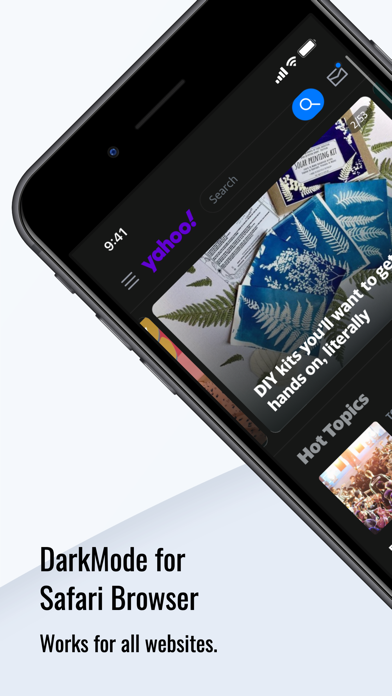
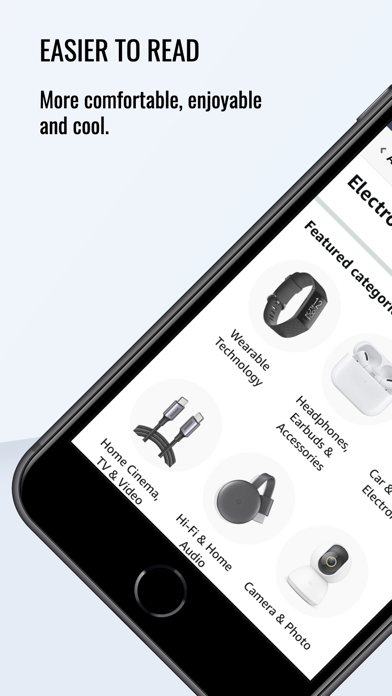
Invert web brightness and protect your eyes during nighttime browsing.
Full support for standard GM_* APIs (GM_xmlhttpRequest, GM_setValue, GM_addStyle)
Seamless one-click script installation directly from Greasy Fork and GitHub
Cross-device sync via iCloud Keychain for instant setup across Mac, iPhone, and iPad
Does This Extension Fit Your Workflow?
✓ Best Suited For
Power tinkerers who want to bypass website anti-copy restrictions, beautify GitHub, or automate routine tasks.
⚠️ Who Might Skip
Users who prefer zero-configuration out-of-the-box browser setups without managing script sources.
What's New in Version v2.6
What Real Users Say About Dark Mode + For Safari Browser
Authentic feedback and real-world ratings from Mac & iOS users
Great little useful
"I highly recommend download this little tool for tablets and iPhones go on internet ., It’s wonderful best thing about it I don’t need update operating system on table and iPhone 13 to use it keep as is its little annoying at first but it gets better more you use it go on web site you have go in settings turn it on after you do it saves settings if you back to web site it stay dark for you., What I like most searching for google images others have black out google images but this one let’s see all google images what your searching for same with YouTube videos some black out YouTube videos in your searches not this one I highly recommend it keep it accessible for iPhone 13 hate be forced to update my phone operating system just to be able to use something helpful on websites I refuse update operating system on iPhone allready comes useless stuff I can’t delete will never use apple wallet what joke"
Annoying to use
"You have to manually turn on dark mode for each website you visit. Doesn’t matter if it’s the same website. If you refresh the page you’ll have to re-enable it again. If you want it to automatically enable, you have to pay money. No thanks. I can just use Firefox with the built in dark mode enabled for free and it’s a lot easier to use and doesn’t cost me any money. I literally downloaded it and enabled it in 10 seconds and I’m very happy with it."
It needs some tweaking but evidently it’s abandoned by the developer
"The functionality is mostly there - though it mishandles some sites - but there are some flaws that need fixing. Unfortunately, it hasn’t been updated for a year, so it’s time to find a replacement that’s being maintained. Shame, because it was pretty good."
The Best Dark Mode Toggler
"UPDATE: As of 16 Jun 22… Love the update to change the default settings now! The addition of other themes is also appreciated. Customer service is perfect. I found a bug, contacted the developer about it, and received an immediate response assuring to address the bug in the next app update. This app completely deserves my updated five-star rating, as I previously rated it four (4) stars. I fully recommend DarkLooker if you want an easy and creative way to customize the themes of websites in Safari. As of 16 Mar 22… I appreciate the options to customize the theme between Midnight which is a complete blackout, Dark Grey which is a grayer and somewhat less extreme version of Midnight, and Monokai which is a lighter version of Dark Grey. I also like how image brightness can be adjusted to ease the contrast of image brightness with themes. My only criticism is that there should be an option to change the default settings. By default, the extension uses the Dark Grey theme and an image brightness of 60%, but I usually like to use the Midnight theme and the original image brightness, so it is a hassle to change my viewing preferences every time I visit a website that the extension is unfamiliar with. Overall, the functionality of the extension makes up for my minor grievance, though I think a simple customization option would make the extension deserving of a five-star rating."
Got Questions About Dark Mode + For Safari Browser?
Q.Is Dark Mode + For Safari Browser free, or does it require a subscription?
Dark Mode + For Safari Browser is 100% free to download on the Apple App Store without predatory weekly subscription traps. You can install and use it across your Mac and iPhone Safari browsers.
Q.How do I enable Dark Mode + For Safari Browser in macOS and iOS Safari?
On Mac (macOS): After downloading from the Mac App Store, open the application once, then launch Safari -> click "Settings" (or Preferences) in the menu bar -> select the "Extensions" tab -> locate "Dark Mode + For Safari Browser" and check the box to enable it. On iPhone/iPad (iOS): Go to iOS "Settings" -> tap "Safari" -> tap "Extensions" -> select "Dark Mode + For Safari Browser" and toggle it ON.
Q.Are GreasyFork and GitHub scripts compatible with Safari on iOS and iPadOS?
Yes! Modern Safari extensions leverage WebKit Content World isolation, allowing full user script execution on mobile iOS Safari, turning your iPhone and iPad into desktop-grade workstations.
Q.Will running multiple user scripts cause web pages to stutter?
Not unless a script uses poorly constructed endless loops. Safari isolates scripts in separate execution contexts, preventing individual script crashes from bringing down the entire browser tab.
Maximize Your Productivity on macOS & iOS
Always inspect user scripts from untrusted sources before granting cross-origin network (GM_xmlhttpRequest) privileges.
Dark Mode + For Safari Browser Quality & Health Audit
Evaluated across verified App Store reputation, pricing ethics, update cadence, and native footprint.
★ 4.3 / 5.0 with 82 verified reviews
100% Free Download
v2.6 - Actively Maintained
44.7 MB package size, Official developer site
Technical Specifications & App Store Metadata
Help fellow Mac & iOS users discover clean tools
Copy the pitch or share directly with one click to social media.
Looking for a Safari alternative to Dark Mode Plus?
Dark Mode + For Safari Browser is the premier 1-to-1 Safari replacement for Chrome's Dark Mode Plus, saving battery and system RAM.
Similar Safari Extensions You Might Like
Explore more verified tools in the tweaks category
Automatically redirects Google AMP links to regular normal web pages.
Modern userscript manager optimized for both iOS and macOS Safari.
Stops web pages from disabling copy/paste, context menus, and hijacking shortcuts.