
Sidefari
Developed by Francisco Cantu · Version 1.3.4 (26.3 MB)
Screenshots & Interface
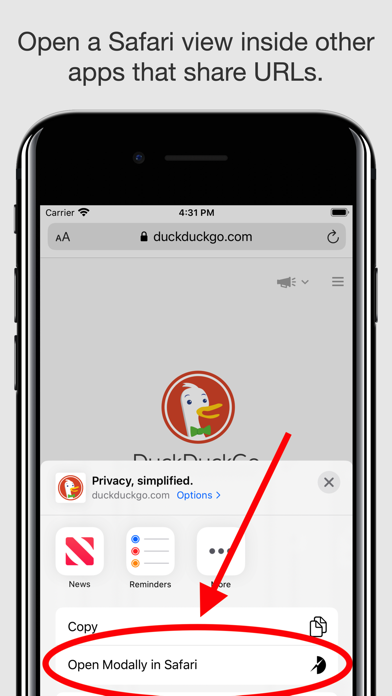
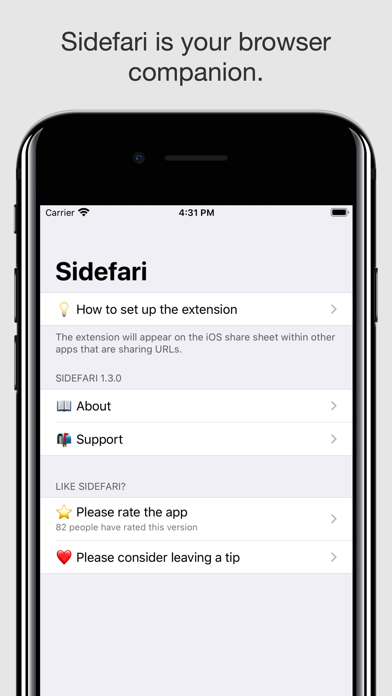
About
Why Install Sidefari on Safari?
Browse two web pages side-by-side inside a single Safari window.
Deep integration with macOS Touch ID, Apple Watch unlock, and Apple Secure Enclave
Native WebKit Web Inspector panels for debugging HTTP traffic and DOM state
Zero telemetry: all cryptographic keys and credentials stay strictly on your device
Does This Extension Fit Your Workflow?
✓ Best Suited For
Web developers, engineers, and security-conscious professionals looking for robust password and debugging workflows.
⚠️ Who Might Skip
Casual users looking purely for multimedia entertainment tools.
What's New in Version v1.3.4
What Real Users Say About Sidefari
Authentic feedback and real-world ratings from Mac & iOS users
0
"Hate it!"
it's flat out broken
"It won't doing anything I need to for IPad Gen/ air please Chief-The Man's Man"
Best way to quickly open apps in Safari
"Easy, direct, fast"
Awesome
"Awesome in app safari"
Got Questions About Sidefari?
Q.Is Sidefari free, or does it require a subscription?
Sidefari is 100% free to download on the Apple App Store without predatory weekly subscription traps. You can install and use it across your Mac and iPhone Safari browsers.
Q.How do I enable Sidefari in macOS and iOS Safari?
On Mac (macOS): After downloading from the Mac App Store, open the application once, then launch Safari -> click "Settings" (or Preferences) in the menu bar -> select the "Extensions" tab -> locate "Sidefari" and check the box to enable it. On iPhone/iPad (iOS): Go to iOS "Settings" -> tap "Safari" -> tap "Extensions" -> select "Sidefari" and toggle it ON.
Q.Does this tool support Mac Touch ID and Apple Watch authentication?
Yes. macOS native extension APIs allow seamless biometric hooks, letting you unlock credentials or decrypt session keys in milliseconds without typing master passwords.
Q.Can Safari extension inspect local development servers (e.g., localhost:3000)?
Yes. In Safari Develop menu, ensure "Disable Local File Restrictions" is configured if needed. The extension has full access to inspect localhost web applications.
Maximize Your Productivity on macOS & iOS
Press Option + Command + I on Mac to instantly open Web Inspector and access extension console tabs.
Sidefari Quality & Health Audit
Evaluated across verified App Store reputation, pricing ethics, update cadence, and native footprint.
★ 4.0 / 5.0 with 145 verified reviews
100% Free Download
v1.3.4 - Stable & Compatible
26.3 MB package size, Official developer site
Technical Specifications & App Store Metadata
Help fellow Mac & iOS users discover clean tools
Copy the pitch or share directly with one click to social media.
Looking for a Safari alternative to Sidefari?
Sidefari is the premier 1-to-1 Safari replacement for Chrome's Sidefari, saving battery and system RAM.
Similar Safari Extensions You Might Like
Explore more verified tools in the devtools category
Ultra-fast, beautiful JSON formatting and collapsible tree viewer for Safari.

Brings desktop-class Web Inspector and DevTools console to iPhone & iPad Safari.
All-in-one modern bookmark manager saving articles, photos, and highlights.